Documentation Index

Fetch the complete documentation index at: https://docs.photon.codes/docs/llms.txt

Use this file to discover all available pages before exploring further.

import { terminal } from "spectrum-ts/providers/terminal";
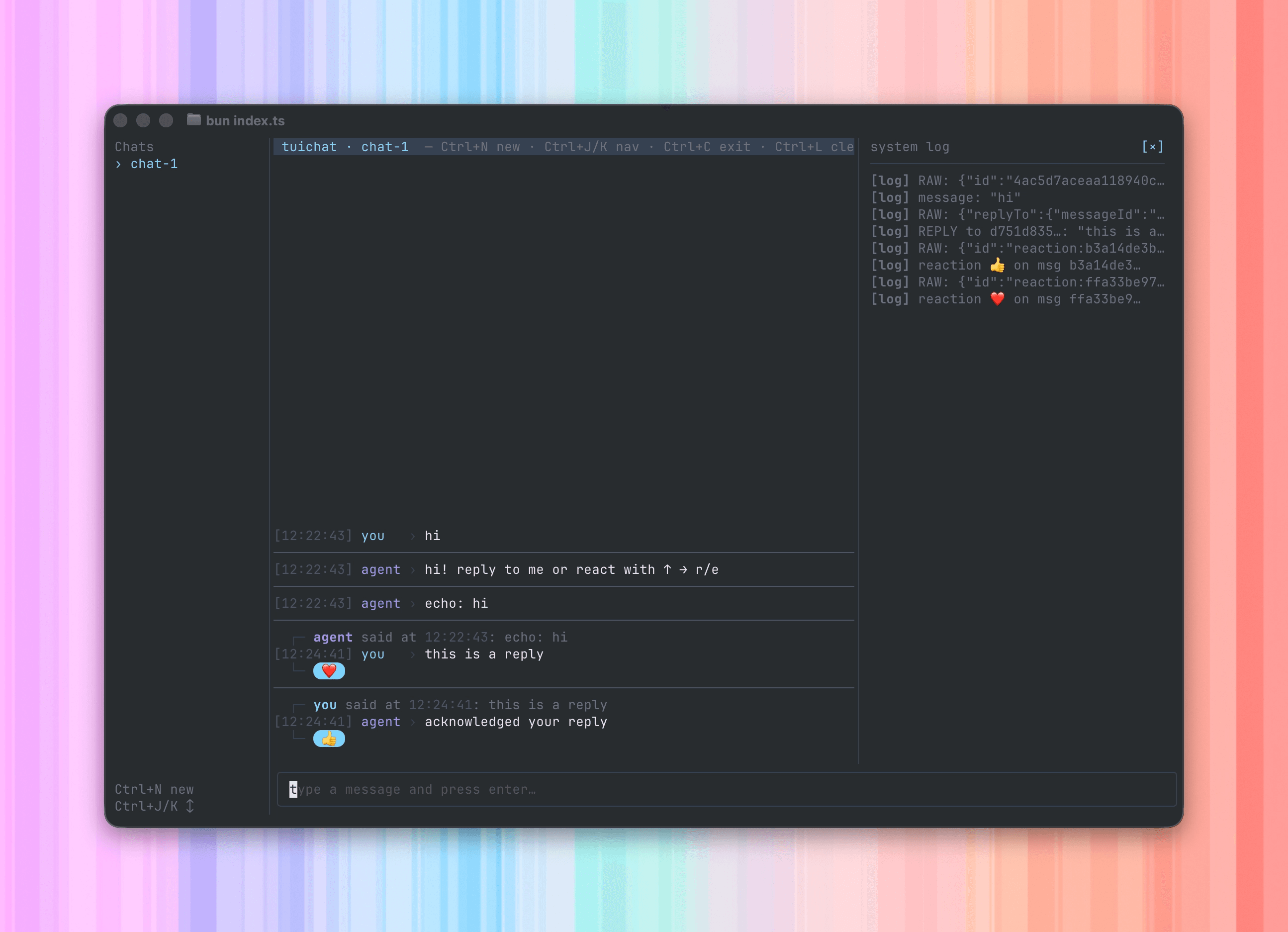
The terminal provider gives your agent a real chat interface in the terminal — multiple conversations in a sidebar, typing indicators, reactions, threaded replies, file attachments, and inline image rendering — all wired through the same Spectrum APIs you’d use against iMessage or WhatsApp Business.
Terminal UI showing a chat sidebar with multiple conversations, message thread, and typing indicator
It’s a drop-in test harness: write your agent against the unified app.messages stream, and develop everything end-to-end without provisioning a phone number or pairing a device.

How it works

terminal.config() spawns the standalone tuichat binary as a subprocess and drives it over JSON-RPC. The binary auto-downloads from GitHub Releases the first time you run it. In a TTY it boots the rich UI; in a non-TTY context (CI, piped input) it falls back to a synchronous readline loop, so the same agent code works for scripted integration tests.
import { Spectrum } from "spectrum-ts";
import { terminal } from "spectrum-ts/providers/terminal";

const app = await Spectrum({
  providers: [terminal.config()],
});

for await (const [space, message] of app.messages) {
  if (message.content.type === "text") {
    await space.send(`echo: ${message.content.text}`);
  }
}
No credentials, no config — just import and run.

What you get

Input and output are decoupled, so you can type while the agent is responding and the agent can push messages whenever it wants.
FeatureHow
Multiple chatsCtrl+N opens a new chat, Ctrl+J / Ctrl+K switch between them. Each chat is its own Spectrum space.
ReactionsPress r on a message to react. Arrives in your code as a reaction content message.
RepliesPress e to reply inline. Arrives with a replyTo: { messageId } extra on the message.
File attachmentsDrag-and-drop into the terminal — messages arrive with name, MIME type, and buffer.
Inline imagesRendered with the Kitty graphics protocol when supported, with a half-block fallback.
Typing indicatorsspace.startTyping() / space.stopTyping() show a live indicator.
Console captureconsole.log / info / warn / error / debug from your agent are forwarded into a pinned __system__ chat instead of garbling the UI.

Config

terminal.config({
  commands: [
    { name: "/clear", description: "Clear conversation memory" },
    { name: "/whoami", description: "Print sender details" },
  ],
});
OptionTypeDefaultDescription
commands{ name: string; description?: string }[][]Slash commands surfaced in the TUI’s command picker. Names must match /^\/[A-Za-z0-9_-]+$/.
Slash commands arrive as regular text messages with the command string as the content — handle them in your for await loop the same way you’d handle any text.

Working with multiple spaces

By default the TUI starts on chat-1; new chats opened with Ctrl+N get chat-2, chat-3, and so on. To open a named space programmatically, pass an id:
import { terminal } from "spectrum-ts/providers/terminal";

const t = terminal(app);
const debug = await t.space({ id: "debug" });
await debug.send("agent online");
Calling space() ensures the chat exists in the sidebar — useful for kicking off a conversation before any user input.

Reactions and replies

Reactions ride the same app.messages stream as text — they arrive as a reaction content message:
for await (const [space, message] of app.messages) {
  if (message.content.type === "reaction") {
    console.log(`${message.sender.id} reacted ${message.content.emoji}`);
    continue;
  }
  if (message.content.type === "text") {
    await message.react("👀");
    await space.send(`echo: ${message.content.text}`);
  }
}
Threaded replies arrive as a normal message with a replyTo field:
const replyTo = (message as { replyTo?: { messageId: string } }).replyTo;
if (replyTo) {
  await message.reply(`acknowledged your reply to ${replyTo.messageId}`);
}

When to use it

  • Iterating on agent logic — every Spectrum API works exactly as it would in production, so behavior you build here ships unchanged.
  • Integration tests — pipe stdin in non-TTY mode and assert on stdout; no TUI dependency for CI.
  • CLI tools — same handler shape as any multi-platform deployment, with reactions and replies as first-class events.