


TL;DR: Photon is now in Capy's plugin marketplace. Add it once and your Capy agent can create Photon projects, manage your iMessage, SMS and email lines, send and read messages, check billing, and text you when something happens in your stack. All without leaving your coding agent.
Your coding agent already opens pull requests, fixes CI, and triages your Slack. Starting today, it can also text you.
Photon is now listed in Capy's MCP & plugins marketplace, verified by Capy, alongside the other services Capy agents already know how to use. Install it and every thread in your project gets Photon's API as a set of tools, one for each operation available to OAuth clients, running with your own permissions.
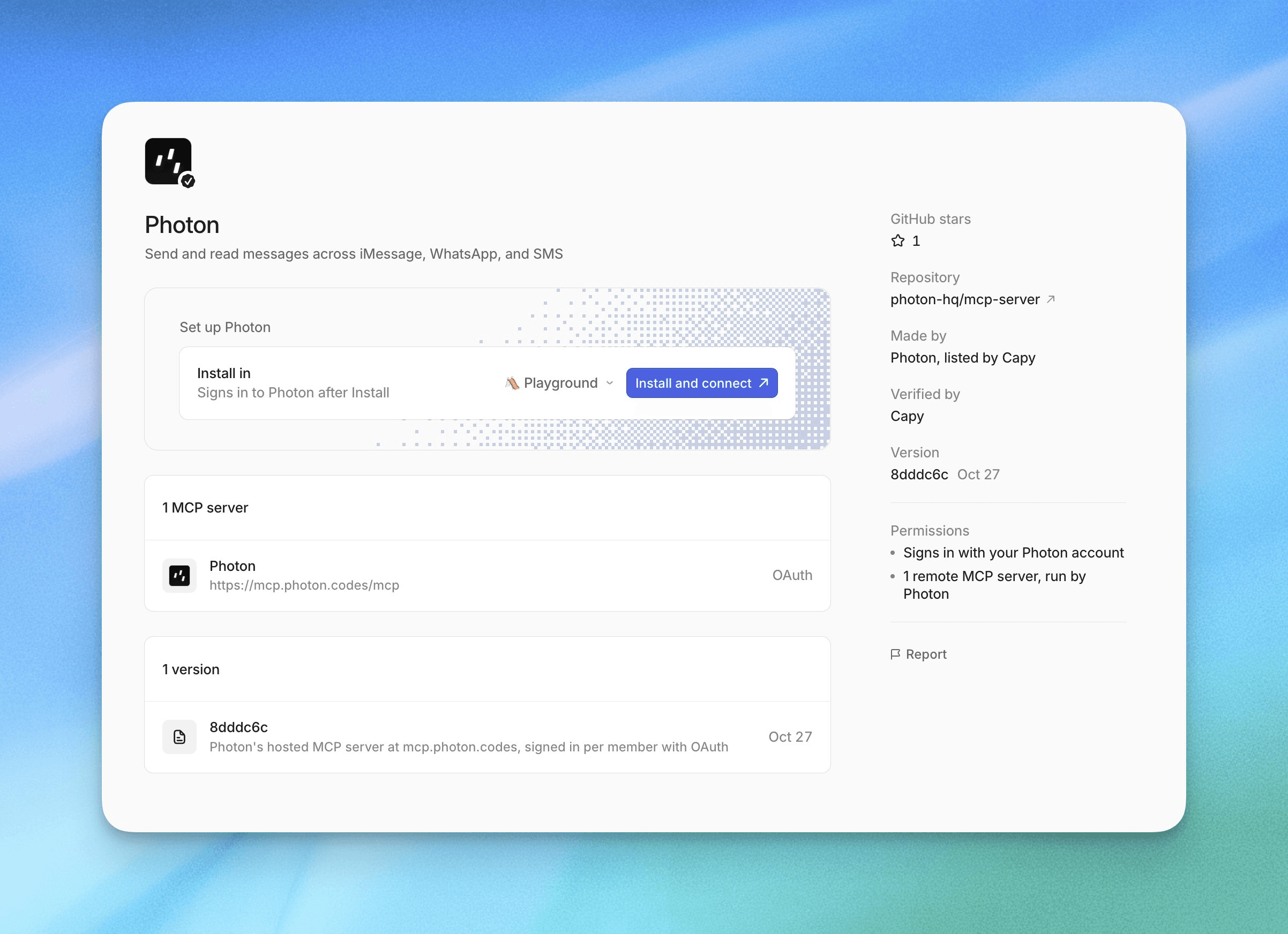
The Photon listing in Capy's marketplace: one remote MCP server, signed in per member with OAuth.
Here's the launch post: x.com/PhotonHQ/status/2115573878370296045
About Photon
Photon is a unified messaging API that brings AI agents to the channels people already use: iMessage, SMS, RCS, WhatsApp, Telegram, email, and phone calls. Every conversation is modeled the same way, as Users, Spaces, and Messages, so one agent can run on every channel through a single API. It's free to start, with $100 in credits for every new account.
Why Capy
We build Photon in Capy. Most of Photon 2.0, the biggest release in our history, was written in Capy threads: agents running on our laptops and in cloud VMs, on our own model subscriptions, with Capy's review agent posting findings on every PR.
The more work our agents did, the more we noticed the same gap. A thread finishes a long migration, and you find out when you remember to check. A nightly automation finds a vulnerable dependency, and the result sits in a thread until morning. The agent did the work. The notification never left the app.
The one place our whole team reads, all day, is Messages. So we put Photon in Capy.
What Photon in Capy does
Capy plugins teach Capy to work with one service by bundling that service's MCP servers with skills that explain how to use them. The Photon plugin connects Capy to the hosted Photon MCP server at mcp.photon.codes, which exposes one tool for every Photon API operation available to OAuth clients.
In practice, a Capy agent can:
Create and configure Photon projects
Manage lines: add a phone number to a project's shared iMessage line, set up SMS and email
Send and read messages across every connected channel
Check usage and billing for your organization
Every call runs with your live permissions in the organization you authorized. If your role can't do something, the tool returns an error and nothing changes. A few things stay in the dashboard on purpose: members, SSO, OAuth clients, payment methods, and plans. We also recommend keeping client approval on for tools that send messages, buy numbers, or delete resources.
You can simply talk to it:
"Create a project called Support."
"Add +1 415 555 0100 to the Support project's shared iMessage line."
"How many messages did the Support project send this week?"
"List the messages the Support project received today."
"Show my organization's current billing usage."
The fun part: automations that text you
Capy Automations are stored prompts with triggers: a schedule, a GitHub event, a Slack message, an incoming webhook, or a manual run. Every run is a normal Capy thread with a machine to work on.
Pair that with Photon and your tooling gets a phone number. A few we like:
PostHog error, iMessage. Point a PostHog error alert at a Capy automation's webhook. The prompt reads the error, finds the likely commit, opens a PR with a fix for review, and texts a two-line summary with the PR link to whoever is on call.
Deploy failed, text. A deploy-pipeline webhook starts a thread that finds the regressing commit and texts you the evidence, not just "deploy failed."
PR ready, text. Capy's CI failure fixer already opens a PR when a
workflow_runfails on main. Add one line to the prompt and it texts you the link.Morning digest. A scheduled thread reads yesterday's product analytics and sends a short overview before standup.
An automation prompt is just a prompt. Here's the first one in full:
Trigger: incoming webhook (PostHog error alert)

When a PostHog error alert arrives:
1. Read the error, the stack trace, and the affected release.
2. Find the most likely commit in this repo and open a PR
   with a fix for review.
3. Using the Photon plugin, send an iMessage to the on-call
   number with a two-line summary and the PR link.
4. If they reply "rollback", revert the release and text them
   when it's live.

On-call number: +1 (415) 555-0100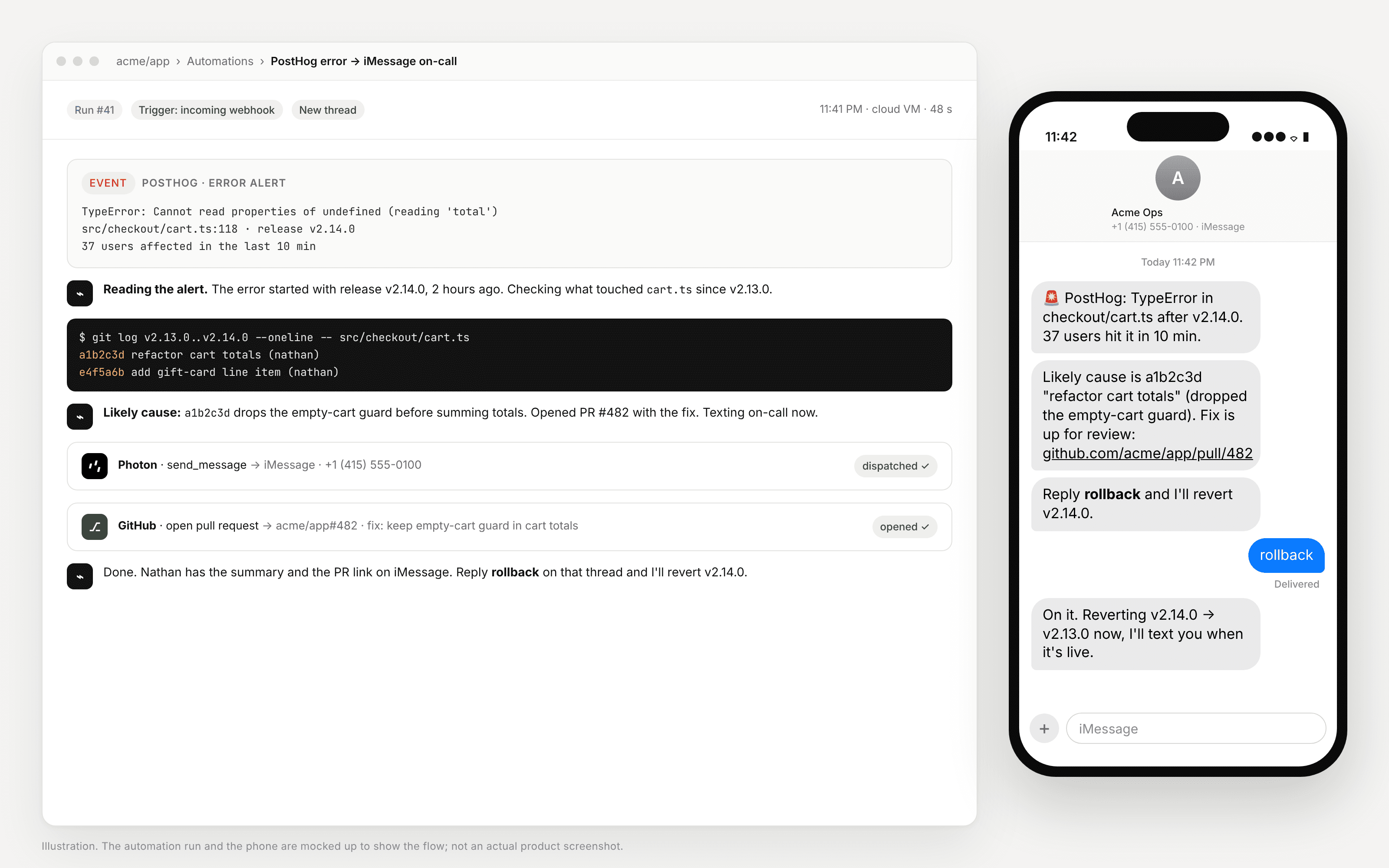
A PostHog alert hits the automation, the agent finds the commit, opens a PR, and texts on-call. Illustration.
No notification service, no pager integration, no new dashboard. Your coding agent stops being something you check on and becomes something that checks in with you.
How we use it ourselves
One example from our own repos. We publish a Photon plugin for Dify, and keeping it in sync with our API used to be a chore someone had to remember.
Now a Capy automation watches releases of photon-hq/api. When a release ships, it waits for the new package on PyPI, diffs the API against the version the plugin was built on, and opens a PR with the update. If nothing the plugin uses changed, it leaves a summary in the thread and opens nothing.
Our API ships, the plugin keeps up. With the Photon plugin in that automation, the engineer who owns it can get a text the moment a PR is waiting for review.
How to set it up
In Capy, open Settings → MCP & plugins and search for Photon.
Choose whether the plugin belongs to your Organization or Only me, and whether it applies to All projects or one.
Click Install and connect and sign in to Photon in the window that opens. You'll need a Photon account, which comes with $100 in free credits.
Or skip the menus: in any thread, ask Capy to "Add the Photon plugin" and review the card it shows you.
Try the PostHog example
If you want to reproduce the first automation end to end, here's the rest of the wiring:
A line to send from. Your Photon project needs an iMessage line or an SMS number. Ask Capy to set one up ("Create a project called Ops and add an iMessage line"), or do it in the Photon dashboard. Note the number you want to text; that's the on-call number in the prompt.
The webhook. In Capy, create a new automation and add an Incoming webhook trigger. Copy the URL when it appears; Capy shows it once and stores only a digest. Add an On demand trigger as well so you can test without waiting for a real error.
PostHog. Route your error alerts to that URL with a webhook destination. Any PostHog alert works the same way.
The prompt. Paste the prompt above, put your on-call number in it, and make sure the Photon plugin is enabled for the project. Keep client approval on for message sends while you test.
Test it. Hit Run now, or fire a test alert from PostHog. The thread should read the event, call Photon's send tool, and your phone should buzz. To double-check delivery, ask in the thread: "What's the delivery status of the last message the Ops project sent?"
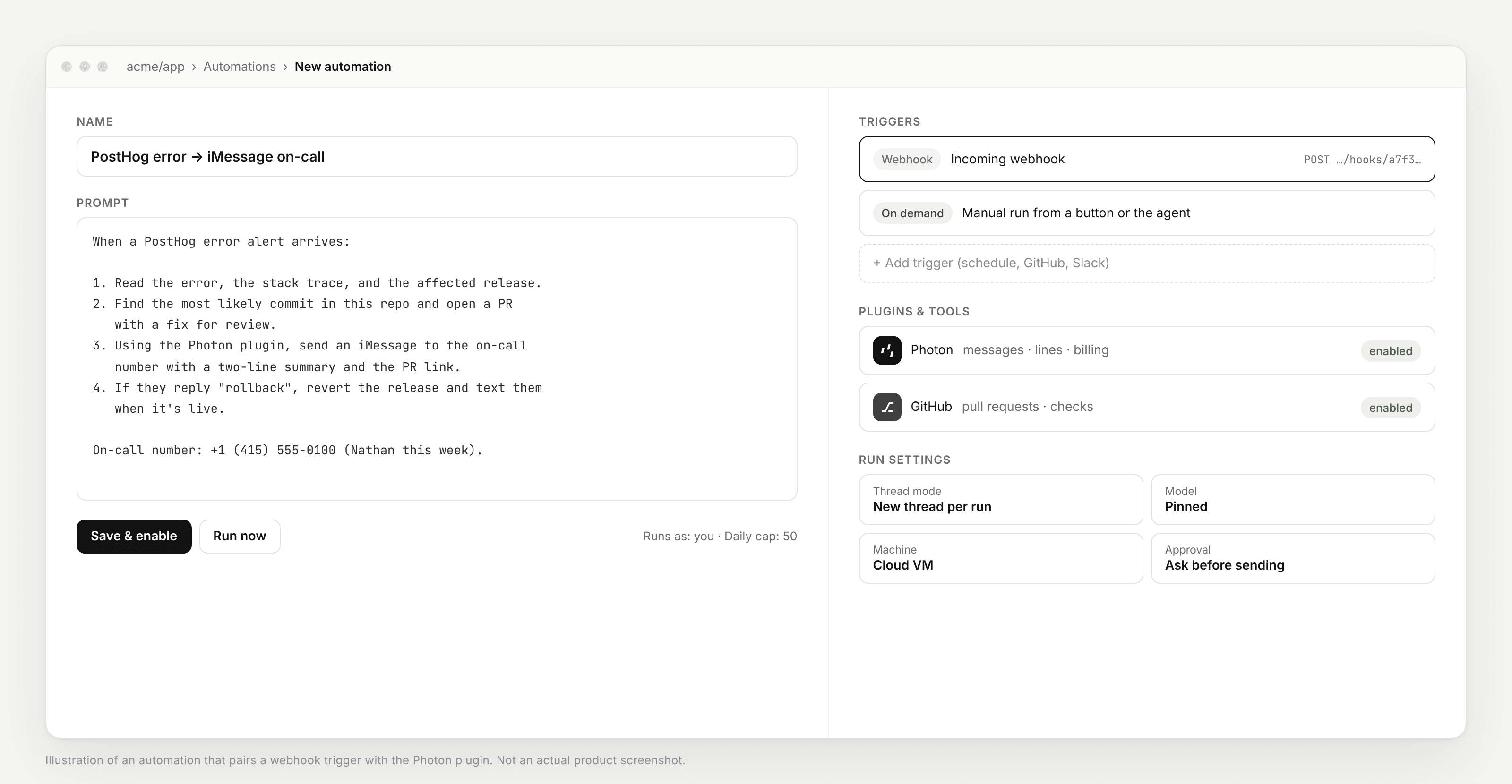
The whole automation: a webhook trigger, a prompt, and the Photon plugin enabled. Illustration.
Agents should live where people already are
Photon is built around a simple belief: the next generation of AI agents shouldn't ask people to come to them. They should show up in the conversations people already have, hundreds of times a day.
That applies to the agents that write our software too. The best coding agent is the one you don't have to go check on. Capy already does the work in the background. Now it can tell you about it in the place you'll actually see it.
Get started
Capy: capy.ai · Plugins docs · Automations docs
Photon MCP server: photon.codes/docs/beta/ai-tools/mcp · github.com/photon-hq/mcp-server
Photon account: app.beta.photon.codes
Discord: discord.com/invite/4yXmmFPadR
Build an agent that texts you back. We can't wait to see what you ship with Capy.
Photon is messaging infrastructure for AI agents. One API gives developers access to the channels where people already communicate, including iMessage, SMS, RCS, WhatsApp, Telegram, email, and voice.
We're building the communication layer that lets agents go everywhere.
P.S. Shoutout to Justin, Haris, Nalin and the whole Capy team for getting Photon listed, and for building the tool we ship Photon with every day.